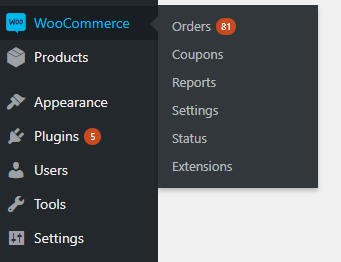
This article is a bit of a misnomer. You don’t actually log into WooCommerce. WooCommerce is a plugin integrated into your WordPress website. There isn’t a separate login screen for WooCommerce.
How Do I Login to WooCommerce?
Step 1: To access your WooCommerce products and account, simply log into your WordPress website.
Step 2: Click the WooCommerce link in the left column of your WordPress Dashboard. This will bring you to the WooCommerce Dashboard. From here you can access a variety of information including, your products, order history, reports, coupons, and settings.